


Updated March 4, 2026
Revolutionizing Video Production with AI Video Editing and Compression Tools
In the fast-paced digital world, video content has become one of the most powerful forms of communication. Whether for social media, marketing campaigns, online courses, or personal projects, videos engage audiences like no other medium. However, creating high-quality video content comes with its own set of challenges, from long editing times to file size issues that can make sharing or uploading videos a hassle. Thankfully, advances in AI video editing and compression tools are transforming how we edit, create, and share videos. CapCut, a leading AI-powered video editing platform, offers innovative features that accelerate, enhance, and streamline video production. Let us dive into how AI for video and video compression are changing the game for creators, businesses, and content professionals.
The Power of AI for Video Creation
Artificial intelligence has become a driving force in many creative industries, and video production is no exception. AI for video is revolutionizing the way videos are made by automating complex tasks, enhancing visual quality, and speeding up the editing process.
AI-Powered Video Editing
AI in video editing automates repetitive tasks, letting creators focus on storytelling. With AI, CapCut can automate processes like:
- Scene transitions: AI analyzes footage and applies smooth transitions based on the video’s content.
- Facial recognition and tracking: This feature tracks faces in a video, enabling effects, text, or elements to follow the subject’s movement.
- Auto-captioning: AI generates subtitles automatically, saving creators time and effort and making content more accessible.
- Content-based recommendations: Based on a video’s theme, AI can suggest music tracks, color grading, and even video templates that match its style.
This reduces the manual effort traditionally required for editing, making it accessible to beginners and speeding up production for professionals.
Enhancing Visual and Audio Quality
AI for video also enhances the visual and audio quality of footage. CapCut’s AI tools can:
- Upscale resolution: Automatically enhance video resolution, making footage sharper and more professional, even if it was originally filmed in lower quality.
- Stabilize shaky footage: AI analyzes and smooths out shaky videos to produce stable, cinematic shots.
- Audio optimization: AI technology helps reduce background noise and improve sound quality, ensuring that your audio matches the clarity of your visuals.
With AI working behind the scenes, creating polished, professional videos becomes faster and more efficient.
The Importance of Video Compression
While high-quality videos are crucial for engaging audiences, large file sizes can be a significant problem. Video files can take up a lot of space, which makes them hard to upload, share, or store. Video compression is the solution to this problem. Compression reduces video file sizes without compromising quality, making them easier to manage and distribute.
Why Video Compression is Essential?
- Faster Uploads: Compressed videos upload faster to platforms like YouTube, Instagram, and Facebook, saving you valuable time.
- Smaller File Size: Video compression reduces file sizes, which is crucial when working with limited storage on devices or cloud platforms.
- Improved Playback: Smaller files load faster, ensuring smooth playback, even on slower internet connections.
- Compatibility Across Devices: Compressed videos are easier to share across different devices, making them more versatile for your audience.
As mobile content consumption and social media use grow, video compression has become increasingly essential.
CapCut’s AI Video Editing and Compression Tools
CapCut combines AI-powered video and video compression to offer an all-in-one solution for content creators. Let us explore how CapCut’s platform is making video editing easier and more efficient for everyone.
1. AI for Seamless Video Editing
CapCut’s AI tools enable users to transform raw footage into polished videos quickly. Whether you are a beginner or an experienced video creator, the AI-powered features can help enhance your editing process. Key features include:
- Auto Video Editing: Automatically create a video from your clips with the best transitions, effects, and music.
- Smart Scene Recognition: AI recognizes the best parts of your footage and creates professional-looking highlights.
- Efficient Editing Suggestions: CapCut offers AI-based editing recommendations to help you produce well-structured, engaging videos.
With these AI tools, users can drastically reduce editing time, making it easier to keep up with content creation demands.
2. Smart Video Compression
CapCut’s video compression feature helps creators compress large video files without sacrificing quality. Using smart algorithms, CapCut analyzes your video’s content and reduces its file size while maintaining as much visual and audio fidelity as possible. Key benefits include:
- Preserved Quality: While compressing videos, CapCut ensures quality is not significantly compromised, so your content looks as good as it should.
- Multiple Compression Options: You can choose different compression levels based on the platform you are uploading to. For example, compress a video for Instagram, YouTube, or TikTok, each with optimized settings for the best results.
- Easy Sharing: Compressed videos can be shared on social media, uploaded to websites, or sent to clients and collaborators without concerns about slow uploads or storage limits.
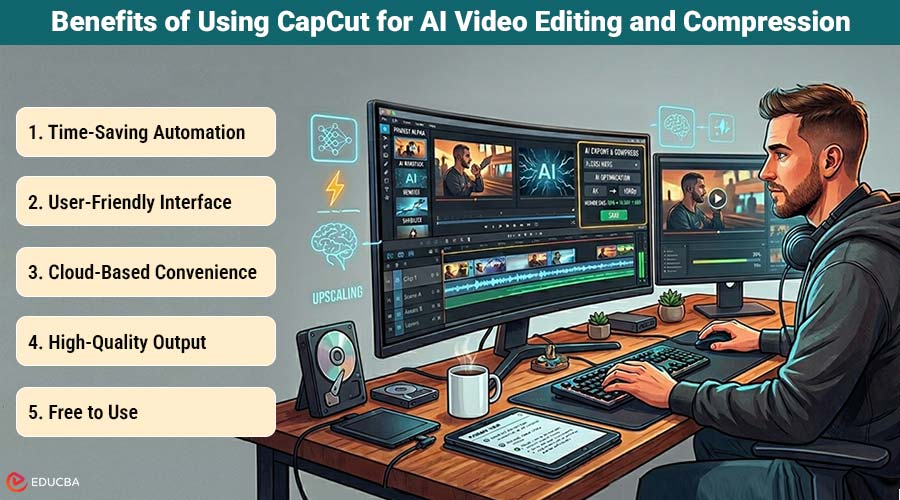
Benefits of Using CapCut for AI Video Editing and Compression
Here are some of the key benefits of using CapCut for both video editing and compression:
- Time-Saving Automation: AI automates the most tedious aspects of video production, letting creators focus on delivering the perfect message.
- User-Friendly Interface: CapCut’s user-friendly platform lets anyone create stunning videos, no expertise required.
- Cloud-Based Convenience: CapCut’s cloud-based platform allows access to projects from anywhere, simplifying collaboration and multi-device work.
- High-Quality Output: CapCut ensures that your videos are optimized for high-quality playback, whether you are creating social media content, YouTube videos, or promotional materials for your business.
- Free to Use: CapCut offers a robust free version, making it an accessible tool for content creators, small businesses, and freelancers looking to create professional-quality videos without breaking the bank.
Final Thoughts
With the growing demand for video content, creators need tools that enable fast, high-quality production. By incorporating AI video editing and compression features, CapCut streamlines the video production process, making it easier than ever to edit, create, and share professional videos. CapCut’s AI editing and compression tools streamline workflows for business owners, marketers, and creators. With faster editing, smarter suggestions, and optimized file sizes, CapCut is your go-to tool for creating high-quality video content in less time.
Recommended Articles
We hope this guide to AI video editing and compression helps you streamline your video production. Check out these recommended articles for more tips and strategies to enhance your video content.


