
Updated March 14, 2023
Introduction to Keras ImageDataGenerator
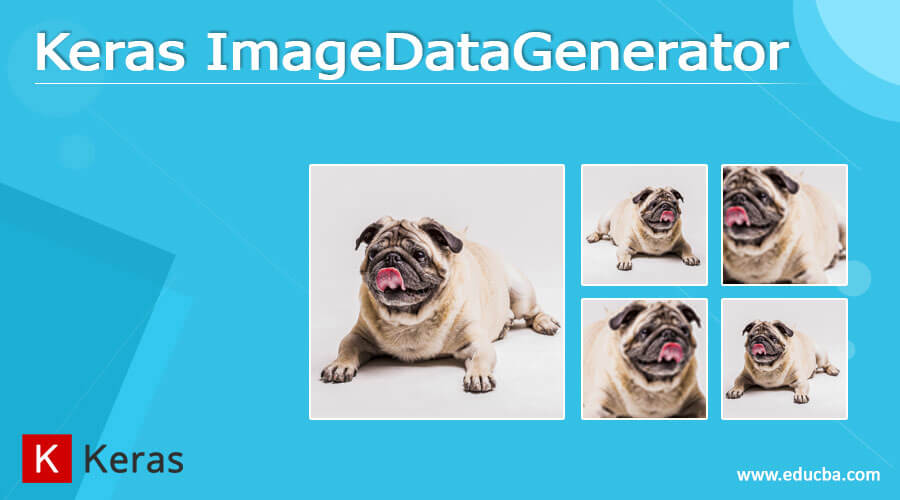
Keras ImageDataGenerator is used for getting the input of the original data and further, it makes the transformation of this data on a random basis and gives the output resultant containing only the data that is newly transformed. It does not add the data. Keras image data generator class is also used to carry out data augmentation where we aim to gain the overall increment in the generalization of the model. Operations such as rotations, translations, shearin, scale changes, and horizontal flips are carried out randomly in data augmentation using an image data generator.
In this article, we will have a look at Keras image data generator and will also study it using the topics what is Keras ImageDataGenerator, how to use Keras ImageDataGenerator, Keras ImageDataGenerator Class, Keras ImageDataGenerator methods, and conclusion about the same.
What is keras ImageDataGenerator?
Keras image data generator is used for the generation of the batches containing the data of tensor images and is used in the domain of real-time data augmentation. We can loop over the data in batches when we make use of the image data generator in Keras. There are various methods and arguments of the image data generator class that helps to define the behavior of the data generation.
How to use keras ImageDataGenerator?
We can make the use of ImageDataGenerator class by passing the appropriate parameters and passing the required input to it. How many images will be generated depends on the size of the batch and the input data set that contains a specific number of inputs? For example, if the size of the batch is defined as 10 and we pass 1000 images in the input of outset of data then the number of images that will generate in each and every iteration of the training will be 10. The syntax that can be used for using ImageDataGenerator is as defined in its class of it.
keras ImageDataGenerator Class
The definition of the class of image data generator is as shown below containing all the arguments or parameters that helps to define the behavior and way of performing the process.
Tensorflow.keras.preprocessing.image.ImageDataGenerator(
Preprocessing function = None, rotation range = 0, validation split = 0.0, fill mode = ‘nearest’, data format = None, dtype = None, samplewise std normalization = False, zca whitening = False, cval = 0.0, zoom range = 0.0, vertical flip = false, horizontal flip = false, rescale = None, height shift range = 0.0, samplewise center = false, featurewise center = false, featurewise std normalization = false, shear range = 0.0, channel shift range = 0.0, brightness range = None)
By using this class of image data generator we can iterate the data in batches that is data if looped over.
Various parameters used in the class definition are as discussed below in the tabular format –
| Parameter | Description |
| Feauturewise center | It is a Boolean value used for setting the value of the input to 0 for the particular data set in a feature-wise manner. |
| Samplewise center | This is also a Boolean value for the specification of setting the value of the mean for each of the individual samples to 0. |
| Featurewise stad normalization | The boolean value is used to represent whether the input data is to be divided by using the std that is defined by the set of data in a feature wise manner. |
| Samplewise std normalization | It is a Boolean value for referring to std to divide each of the individual input values. |
| Zca epsilon | The default value of this argument when not specified is 1e-6 and is used for the representation of epsilon for ZCA whitening. |
| Zca whitening | Boolean value to represent whether to apply or not the ZCA whitening. |
| Rotation range | This is an integer value for defining the range of degrees in random rotations. |
| Width shift range | It is a float value used for the 1-dimensional array or integer. Here, float value of the fraction of the width in total. If the value of this float is less than 1 or it is pixels if the value is greater than or equal to 1. The 1-dimensional array stands for the array containing the random elements. Integer value stands for the pixels count that can be between the range of – to + width shift range. When the value of the width shift range is 2 then the value of integer can be -1,0 or 1. When the value is 0 then the float valve can be possibly between the range of -1.0 to +1.0. |
| Height shift range | It can be float or int or 1-dimensional array similar to that of width sift range but in this case, it applies to the total height. |
| Dtype | It is used for the arrays that are generated. |
| Validation split | It is a float value and is used for the specification of the fraction images that are used for the purpose of validation. Its value should be between 1 and 0. |
| Data format | It stands for the data format of the image. |
| Rescale | It represents the factor of rescaling which can have value either channels last or channels first. |
Keras ImageDataGenerator methods
There are various methods available for the class of image data generator that includes –
- Apply_transform – This accepts the parameters of transform parameters and x and is used for the image transformation that is carried out with respect to the values that are passed as parameters.
- Fit – It takes the arguments of augmenting which is a Boolean value, rounds that stand for a number of rounds to be made, a seed that has its default value set to none, and x. This method is used for fitting the data generator into the given data sample.
- Flow – This method accepts many parameters including x, y, batch size, shuffle, sample weight, seed, save to directory, save prefix, save format, and subset all of which are used to receive the labeled arrays and data and further generation of the augmented data’s batches.
- Flow_from_dataframe – This method accepts the data frames as input and the directory’s path along with the generated batches further makes the inclusion of normalized data and segmented data inside the batches that are generated.
- Flow_from_directory – It helps in passing the directory’s path and also in the generation of the augmented data batches.
- Get_random_transform – It accepts image shape and seed as parameters and helps in the generation of parameters in a random fashion that is further used for the transformation.
There are two more methods namely random_transform and standardize that are used for the application of random transformation on image and normalization and configuration to the input batches respectively.
Conclusion
We can make the use of image data generator class in keras for the generation of the tensor image data batches when performed in the domain of real-time data augmentation.
Recommended Articles
This is a guide to Keras ImageDataGenerator. Here we discuss the Introduction, What is Keras ImageDataGenerator, How to use Keras ImageDataGenerator?. You may also have a look at the following articles to learn more –

