


Updated September 3, 2026
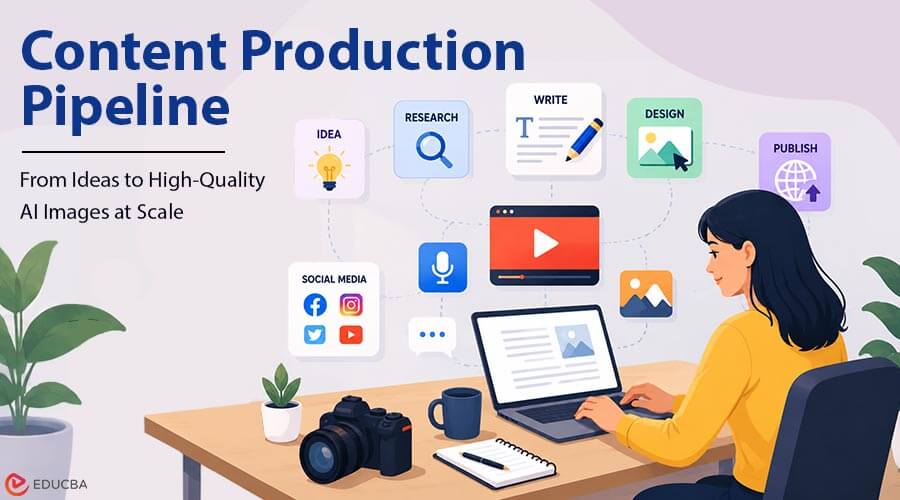
Generating one good image with AI is easy. Generating four hundred that share a visual language, arrive in the right formats, and need no manual cleanup is a different discipline. That second problem is a content production pipeline problem, not simply a prompting problem. Teams that scale AI imagery treat it as production engineering: defined inputs, repeatable steps, and end-of-process quality checks. This guide breaks that pipeline into four stages and covers the decisions that matter at each one.
What is a Content Production Pipeline?
A pipeline is a fixed sequence that turns a request into a finished asset without improvisation. The value is not speed on one image. It is that output stops depending on who happens to be doing the work.
The Four Stages
- Input standardization, so every request arrives in one shape.
- Generation, where prompts and models produce raw output.
- Automation, which removes the steps you repeat every time.
- Post-processing and QA, where assets are finished and verified.
Skip any one and the pipeline leaks. Most teams skip the first and last, then wonder why output is inconsistent.
Stage One: Standardize Your Inputs
Before touching a model, define what a request looks like. At minimum: subject, format, aspect ratio, style reference, and destination. A structured brief template does most of this work. Free-text requests produce free-text results, which causes most of the inconsistency people blame on the model.
Reference Assets Come First
Build a reference library before you build volume: product photographs, color values, logo files, and two or three approved examples per style. This is where tool choice starts to matter. An ImagineArt AI image generator that accepts reference images and stores brand assets maintains consistency across hundreds of generations, whereas one that takes only text prompts will drift. ImagineArt supports both reference inputs and saved brand kits, which is why it suits pipeline use rather than one-off generation.
Stage Two: Generation at Volume
This is the stage people over-focus on. It matters, but it is the easiest part to fix once the structure around it exists.
Choosing Models Per Job
There is no single best model, only appropriate ones. Product renders, illustration, photorealistic scenes, and typography-heavy images each favor different engines.
- Test three models on the same brief before standardizing on one
- Record which model produced each approved asset so that you can reproduce it
- Expect model rankings to change every few months
- Keep video generation in the same environment if you output both
That last point matters. Pipelines generating stills in one platform and video in another accumulate handoffs, and handoffs are where consistency dies.
Controlling Consistency
Consistency comes from constraints, not better prompts. Lock what you can: seed values where available, reference images, brand kits, and a fixed prompt structure rather than a fresh one each time.
Stage Three: Automate the Repeatable Parts
By now, certain sequences will repeat. Generate, remove background, upscale, export in three ratios. That is a candidate for automation.
Saved Workflows
Mature platforms let you record a chain of operations and rerun it. That turns a five-minute manual process into one click and removes the variation a human introduces by doing it slightly differently each time.
Programmatic Access
For real scale, you need an API, not a browser. Wiring generation into your own system lets requests originate from a spreadsheet, a CMS entry, or a product database rather than a person.
ImagineArt exposes both an API and an MCP server, so AI art generator capability can sit inside an existing application rather than a separate tool someone logs into. For teams already running a content management system, that is the difference between a pipeline and a manual workflow.
Stage Four: Post-Processing and QA
Raw generations are rarely publishable, so budget for a finishing pass.
- Upscale to the resolution your largest placement requires
- Remove or replace backgrounds where the destination demands it
- Check text rendering, hands, and fine detail, which fail most often
- Check aspect ratios against each platform rather than cropping later
- Log rejected outputs, because rejection patterns reveal prompt problems
A defined QA checklist matters more than any tool. Two reviewers using the same list pass and fail the same assets, which is the point.
Common Content Production Pipeline Mistakes
Even well-equipped teams can run into problems when building an AI-powered production process. Some of the most common mistakes include:
- Optimizing prompts before standardizing briefs, fixing the wrong layer
- Choosing a platform that handles images but not video, forcing a second pipeline
- No record of which model and settings produced an approved asset
- Treating credit budgets as unlimited until they run out mid-campaign
- No QA stage, so inconsistency surfaces after publication rather than before
Final Thoughts
A successful content production pipeline is mostly built around structure rather than complicated prompting. Standardize the brief, constrain generation with references rather than longer prompts, automate repeated sequences, and check output against a fixed list before it ships. The tooling decision that matters most is coverage, since a platform handling images, video, editing, and programmatic access in one place removes the handoffs where consistency degrades. That is the case for running something like ImagineArt across the whole pipeline rather than assembling four tools. Build the structure first, then scale volume.
Frequently Asked Questions (FAQs)
Q1. How many images can a small team realistically produce this way?
Answer: With standardized briefs and saved workflows, one person can produce and finish several hundred assets a month. The constraint is usually QA capacity, not generation speed.
Q2. Do you need programming skills to build a pipeline?
Answer: Not for the first three stages, which work through a browser. API access needs basic scripting, but only once volume exceeds what manual operation handles.
Q3. How do you keep AI images looking consistent across a long campaign?
Answer: Use reference images and stored brand assets rather than prompt wording, keep a fixed prompt structure, and record the model and settings behind every approved output so they can be reproduced.
Recommended Articles
We hope this comprehensive guide to building a content production pipeline helps you streamline your AI-powered content workflow. Check out these recommended articles for more insights and strategies to improve your content production process.


