


Updated June 24, 2026
Every engineering team has them: architecture diagrams created years ago in Visio, draw.io, or on a whiteboard, photographed and dropped into a Confluence page. They are structurally accurate but visually inconsistent, hard to read at modern screen resolutions, and styled in ways that look dated compared to current documentation standards. Rebuilding each one manually takes 30 to 90 minutes per diagram. ArchDiagramAI, also known as Architecture Diagram AI, solves this with Image-to-Image References: upload an existing diagram as a reference image, describe any changes in plain English, choose a visual style, and generate a modernized version in 20 to 60 seconds.
Whether you are refreshing legacy documentation, turning a whiteboard sketch into a shareable asset, or consolidating fragmented architecture diagrams into a single unified view, Image-to-Image References gives you a faster path from existing content to professional output. This article covers what the feature does, how it works with ArchDiagramAI’s other tools, and how to get the best results.
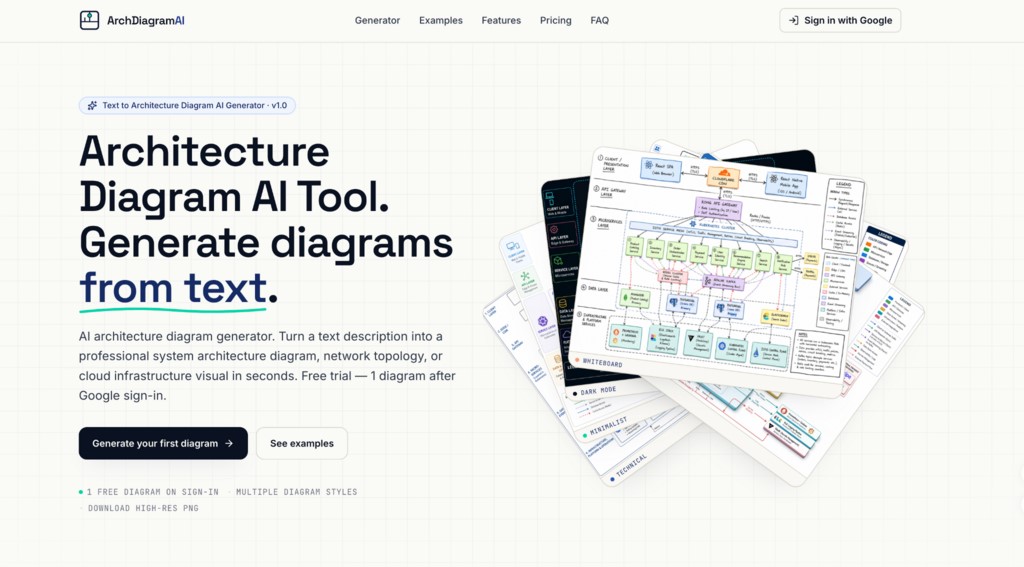
Image Source: ArchDiagramAI
What are Image-to-Image References?
Image-to-Image References is ArchDiagramAI’s structural reference system. When generating a diagram, you can upload up to 16 reference images alongside your plain-English prompt. The AI reads the structural layout from the uploaded images, components, approximate positions, and connections, and uses that structure as the foundation for the new diagram.
Key Capabilities of the Image-to-Image References
- Up to 16 reference images per generation: Upload multiple existing diagrams, whiteboard photos, or sketches in a single generation. The AI synthesizes structural information from all uploaded images, enabling the consolidation of fragmented documentation into a single unified diagram.
- Broad input compatibility: Reference images can be Visio exports, draw.io screenshots, PDF page captures, whiteboard photos, hand-drawn sketches photographed on paper, or previous ArchDiagramAI outputs.
- Prompt-guided updates: Your text prompt describes what is new, changed, or different from the reference. You do not need to rewrite the entire architecture, only the delta. This significantly reduces the time needed to update an existing diagram when a system evolves.
- Style application: The chosen visual style is applied to the structure extracted from the reference image, allowing you to restyle an entire documentation library into a consistent modern visual language without rebuilding each diagram manually.
What to Include in the Prompt When Using Reference Images?
When a reference image provides the structural foundation, focus the prompt on three things:
- Changes: Components added, removed, or renamed since the reference was created.
- Style instruction: Which of the six visual styles to apply, or a custom style description.
- Clarifications: Any structural details that may be ambiguous or unclear in the reference image.
Example prompt with a reference image uploaded:
“Restyle this diagram in Dark Mode. Add a Redis cache layer between the API Gateway and the auth service. Rename ‘Legacy Database’ to ‘PostgreSQL Primary’ and add a read replica connected to it.”
This prompt is significantly shorter than a full system description because the AI reads the remaining structure directly from the reference image.
Other Powerful Features of ArchDiagramAI
Here are some of the most powerful capabilities that expand what you can do with ArchDiagramAI.
1. Plain-English Prompts
For systems that do not have an existing diagram, Plain-English Prompts generates a new architecture visual entirely from a text description. Name your components, state the connections, describe the data flows, and the AI handles placement, routing, and layout automatically. No UML notation, no shape libraries, no drag-and-drop canvas required.
ArchDiagramAI includes six built-in example prompts: Microservices, AWS Cloud, Data Pipeline, CI/CD Pipeline, SaaS Platform, and ML Pipeline, as starting points that can be used as-is or modified to match your specific system. The two features complement each other naturally: use Plain-English Prompts to create new diagrams from scratch, and Image-to-Image References to update or restyle existing diagrams.
2. Multiple Visual Styles
After uploading a reference image and writing your update prompt, choose from six visual styles to determine how the regenerated diagram looks:
- Technical: Engineering documentation, design reviews, RFCs
- Minimalist: Stakeholder presentations, executive briefings
- Dark Mode: GitHub README files, developer blogs, dark-theme documentation sites
- Whiteboard: Onboarding materials, early-stage design discussions
- Colorful: Complex multi-service systems, public documentation
- 3D Isometric: Conference presentations, marketing materials, blog post headers
Combining Image-to-Image References with Multiple Visual Styles is the most efficient approach for documentation refresh projects. Upload the old diagram once, then generate in Technical style for the engineering wiki, in Dark Mode for the README, and in Minimalist for the executive deck, three distinct deliverables from one reference upload.
3. Up to 4K Resolution, No Watermark
All diagrams generated from reference images are exported as watermark-free PNG files at 1K, 2K, or 4K resolution. Aspect ratio options: Auto, 4:3, 16:9, 1:1, 3:4, 9:16 match every common output format. For modernized legacy diagrams, which typically contain many labeled components, always use 2K or 4K. The 1K tier can render text blurrily in detail-heavy layouts.
4. Private by Default
Every reference image you upload, every prompt you write, and every diagram you generate stays private. ArchDiagramAI does not train its AI models on your uploaded reference images or share them with third parties. For teams uploading proprietary infrastructure diagrams, this is a necessary guarantee.
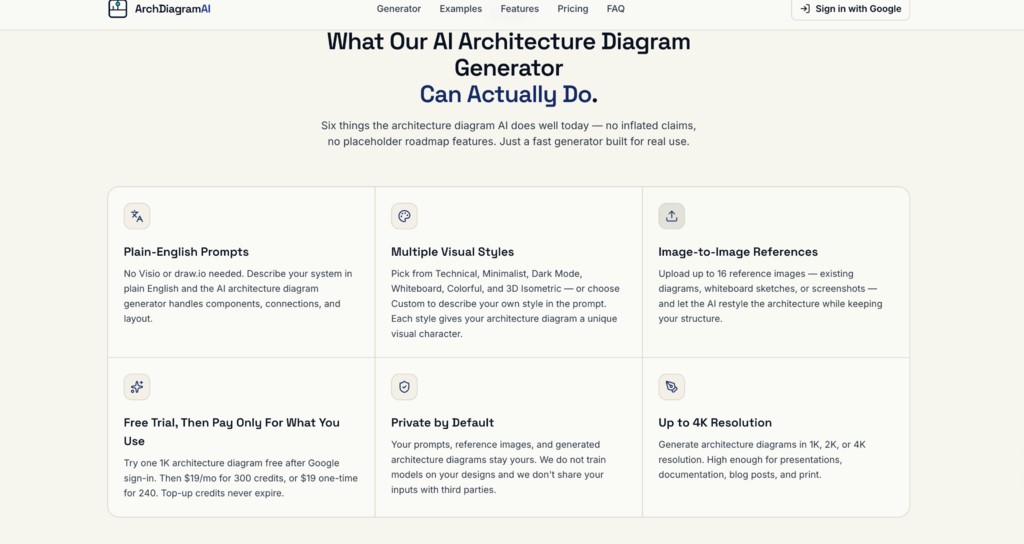
Image Source: ArchDiagramAI
How to Use ArchDiagramAI Efficiently?
The most effective workflow for modernizing existing architecture documentation:
- Export your existing diagram: Screenshot or photo your current architecture diagram (PNG/JPEG). Low resolution is fine; the AI reads structure, not pixel quality.
- Sign in & upload: Log in with Google (no credit card needed). Upload your reference image(s) in the Reference Images section, up to 16 images for multi-diagram systems.
- Write your prompt & choose style: Describe only what is new or changed. Select a visual style (Technical, Dark Mode, or Minimalist) and set the resolution (2K/4K) and aspect ratio to match your destination format.
- Generate & download: The diagram renders in 20–60 seconds. Download the watermark-free PNG and drop it into your docs, slide deck, or README.
ArchDiagramAI Pricing
| Plan | Price | Credits | Resolutions | Best for |
| Free | $0 | 1 on signup | 1K | Testing the feature with one existing diagram |
| Pro | $19 / month | 300 / month | 1K, 2K, 4K | Developers and architects updating diagrams regularly |
| Team | $59 / month | 1,500 / month | 1K, 2K, 4K | Teams modernising a large documentation library |
| One-time | $19 (once) | 240, never expires | 1K, 2K, 4K | Freelancers and occasional users |
A 20% discount applies to the Pro and Team plans when billed annually. Image-to-Image References with up to 16 uploads per generation are available on every plan, including the Free plan. All paid plans include watermark-free PNG downloads and full commercial licensing.
Final Thoughts
Legacy architecture diagrams do not need to be recreated from scratch. With ArchDiagramAI Image-to-Image References, engineering teams can transform existing diagrams into modern, professional visuals in under a minute. By combining reference-image understanding, plain-English updates, multiple visual styles, and high-resolution exports, Architecture Diagram AI significantly reduces the time required to maintain architecture documentation. Whether you are updating a single whiteboard sketch or modernizing an entire documentation library, ArchDiagramAI offers a faster, more scalable approach to creating and maintaining architectural diagrams.
Recommended Articles
We hope this comprehensive guide to ArchDiagramAI helps simplify the creation and modernization of architecture diagrams. Explore these recommended articles for more insights into AI-driven design and documentation workflows.


