


Updated July 18, 2026
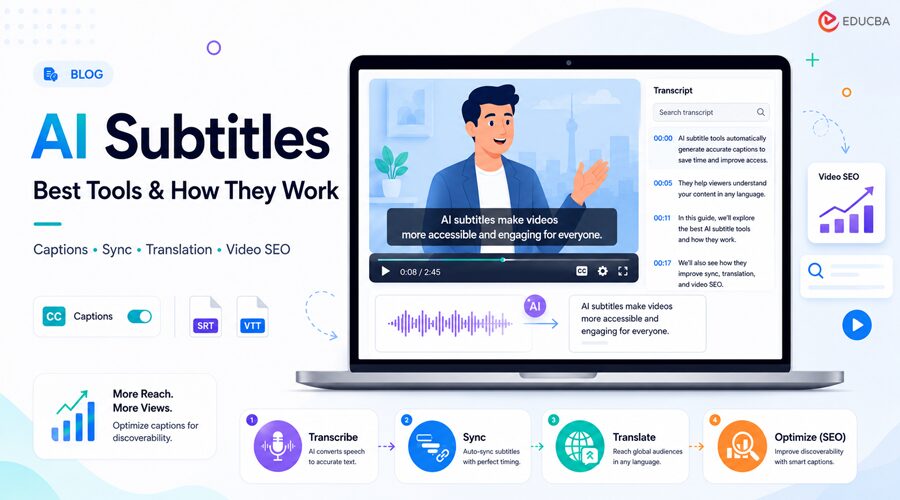
Three years ago, adding subtitles to a video meant exporting the file, uploading it to a third-party tool, waiting for a transcript, fixing the errors by hand, and re-uploading the finished version to wherever the video actually lived. That workflow made sense when subtitle tools required human intervention. It makes a lot less sense in 2026, when AI Subtitles have become faster, more accurate, and easier to generate automatically. The biggest challenge has shifted from “can AI transcribe this accurately” to “what happens to this caption file six months from now when I re-edit the video.” That shift is easy to miss because almost every guide to AI subtitles still leads with accuracy percentages, as if 94% versus 97% were the deciding factor. It rarely is anymore.
Every major tool tested for this article landed within a tight accuracy band on clean audio, and the real gap opened up elsewhere entirely: what happens to the caption file after day one. This article breaks down exactly how AI subtitle generation works under the hood, why accuracy stopped being the deciding factor, and which tools actually hold up once you are publishing more than a handful of videos. This guide explains how AI subtitles work, why accuracy is no longer the only deciding factor, and which subtitle tools are best suited to different video workflows in 2026.
Key Takeaways
- AI subtitles use automatic speech recognition to convert audio into time-synced text, and most tools now complete a 10-minute video in under a minute of processing time.
- Transcription accuracy across major subtitle tools has converged in the 90-99% range for clear audio, meaning accuracy alone no longer distinguishes good tools from mediocre ones.
- The bigger risk in 2026 is what happens after AI Subtitles are generated: files fall out of sync the moment a source video gets edited, re-encoded, or replaced.
- Standalone subtitle editors handle single clips. Video hosting platforms that generate subtitles natively support libraries that keep changing.
- Captioned video consistently outperforms uncaptioned video on completion rate, since most social video is watched with the sound off.
- The best AI subtitle tool depends on your workflow, video volume, and where you host your content.
What are AI Subtitles and How Do They Actually Work?
AI subtitles are captions generated automatically by running a video’s audio through a speech recognition model, which converts spoken words into time-stamped text without manual transcription.
The process runs in three stages:
- Transcription
- Timestamp alignment
- Formatting
Each stage introduces its own failure points, and understanding them tells you more about tool quality than any accuracy number on a pricing page.
1. Speech Recognition and Transcription
The first stage runs the audio through an automatic speech recognition (ASR) model, most commonly a variant of OpenAI’s Whisper or a proprietary equivalent trained by the subtitle vendor. The model breaks the audio into short segments, predicts the most likely word sequence for each segment, and outputs raw text. The standard way to measure this stage is Word Error Rate, which compares the percentage of words the model gets wrong against a human-verified transcript. On clean, single-speaker English audio, most commercial tools achieve between 90 and 99% accuracy.
That range collapses fast the moment real-world conditions show up: background noise, overlapping speakers, technical jargon, or non-native accents. An analysis published by MultiLingual in early 2026 made the point that is often lost in most subtitle-tool comparisons: recognition accuracy is no longer the main bottleneck in professional workflows. Segmentation became the bottleneck because it breaks the transcribed text into readable caption units.
2. Timestamp Alignment and Segmentation
Once the raw transcript exists, the tool has to decide where each caption line starts and ends, and how much text fits on screen at once. This is segmentation, the stage where subtitles stop being “technically correct” and start being “actually watchable.” Poor segmentation produces subtitles that are word-perfect but still frustrating to read: lines that break mid-clause, captions that flash for a third of a second, or text that lags half a beat behind the speaker.
A caption can pass every accuracy benchmark and still fail the person reading it, because segmentation is a readability problem, not a transcription problem. A usable subtitle does not mirror spoken language word-for-word. It communicates meaning clearly within the time a viewer actually has to read it. This is also where most of the manual cleanup work still happens, even on tools that market themselves as “99% accurate.” The words are right. The pacing is not.
3. Styling, Translation, and Export
The final stage of AI Subtitles handles presentation: font, color, animation, and, if requested, translation into additional languages. Most tools export in one of a handful of standard formats, most commonly SRT or VTT, either as a separate file the video player reads at runtime or “burned in” directly onto the video image.
- Separate subtitle files stay editable and can be toggled off by the viewer, which matters for platforms like YouTube or a branded video player.
- Burned-in captions are permanently embedded in the video frame, which is the standard on social platforms like TikTok or Instagram Reels, where autoplay is the default, and most viewers never touch the caption toggle.
Translation at this stage typically passes through a secondary machine-translation layer, separate from the ASR model that generated the original transcript. That is worth knowing because translation errors compound on top of any transcription errors rather than correcting them.
Why Transcription Accuracy Stopped Being the Real Differentiator?
Every subtitle tool on the market now claims accuracy in the low-to-high 90s, and with clear audio, most of them deliver. That convergence is the actual story: when every vendor clears the same accuracy bar, accuracy stops being a purchasing decision. Look at how the category talks about itself. Vendor comparison pages consistently cite numbers in the 85-99% range, depending on audio quality and language, with little differentiation between tools once the audio is clean.
The gap only reopens under harder conditions: strong accents, multiple speakers, background noise, or dense technical vocabulary, and at that point, the differentiator is which model was trained on more diverse audio, not which product has a nicer editor. Community feedback supports this more directly. Creator complaints across forums and review platforms tend to center on paywalled features and workflow breakage, not on raw transcription quality.
One frequently echoed frustration: A tool’s free-tier auto-caption feature getting restricted or repriced mid-project, forcing a scramble to find a replacement with little warning, a pattern documented across multiple caption and editing tools as pricing tiers shift. If a subtitle vendor’s marketing page leads with an accuracy percentage as its headline claim, that signals the rest of the product has little else to differentiate itself on. Accuracy is now the foundation of AI Subtitles, not the final deciding factor.
The Caption Drift Problem No One’s Talking About
Imagine a team uploads a product demo to a standalone AI subtitle generator, creates captions, exports an SRT file, and publishes both the video and subtitle file on their website. A few weeks later, the marketing team shortens the introduction by 40 seconds and replaces the original video. The system stores the subtitle file separately, so it remains unchanged. As a result, every caption after the edited section becomes mistimed, even though the subtitles were originally accurate.
Why It Matters?
If your subtitle workflow requires you to regenerate and re-upload captions every time a video is updated, that effort grows with every new video you publish. Managing a handful of videos may be simple, but maintaining a large video library quickly becomes time-consuming and difficult to manage consistently.
Many users also report subtitle synchronization issues after they edit videos in browser-based tools or replace source files, highlighting the same underlying problem: they manage the video timeline and subtitle timeline independently.
Decision Rule
Before selecting an AI subtitle tool, ask one simple question:
“What happens to the subtitles if I replace or edit the original video?”
If the answer is “You will need to regenerate and upload the captions again,” you are accepting an ongoing maintenance task that will continue for as long as your video library grows.
6 AI Subtitle Tools Worth Using in 2026 (And Where Each One Breaks Down)
The best AI Subtitle generator depends heavily on whether you are captioning one video or managing an expanding video library.
Here is a breakdown of six tools that fit different workflows.
| Tool | Best For | Standout Strength | Where It Breaks Down | Survives Source Video Replacement? |
| Gumlet | Teams managing video libraries | AI Subtitles built into video hosting workflow | Not designed as a standalone social editing tool | Yes, subtitles regenerate from the same asset |
| CapCut | Short-form social clips | Fast and free auto captions | Limited workflow control beyond basic videos | No, re-export required |
| Kapwing | Collaborative editing teams | Browser-based teamwork features | Free exports have restrictions | No, re-export required |
| VEED | Branded animated captions | Strong templates and caption styling | Free exports include watermark | No, re-export required |
| Descript | Long-form transcript editing | Edit videos by editing text | Less suitable for quick standalone clips | Limited outside Descript workflow |
| HappyScribe | Multilingual subtitle projects | Large language support | Accuracy can vary with difficult audio | No, re-export required |
1. Gumlet: AI Subtitles Built Into Video Hosting
Gumlet is not a standalone AI subtitle editor. It generates subtitles directly within its video hosting platform, where videos are stored, transcoded, and delivered. It supports transcription in 30 languages and translation into 90+ languages. Since subtitles are created from the same video asset, teams can avoid synchronization issues when videos are updated or replaced.
2. CapCut: Best for Short-Form Social Videos
CapCut is a popular AI subtitle generator for TikTok, Instagram Reels, and YouTube Shorts. It offers free auto-captions with no watermark on its standard plan. It works well for creating one-off social videos, but you must regenerate the captions if you change the source video after export.
3. Kapwing: Best for Team Collaboration
Kapwing is a browser-based AI subtitle tool designed for collaborative video editing. Multiple team members can edit captions and videos in real time. While it streamlines teamwork, subtitle files must still be re-exported whenever the original video is updated outside the platform.
4. VEED: Best for Animated AI Subtitles
VEED specializes in stylish AI subtitles with animated templates and branded caption designs that perform well on social media. It is excellent for visual presentation, but like most standalone editors, it does not automatically keep subtitles synchronized after a video is replaced or edited elsewhere.
5. Descript: Best for Transcript-Based Video Editing
Descript combines AI subtitle generation with transcript-based editing, allowing users to edit videos simply by modifying the transcript. Descript’s workflow is particularly effective for podcasts, interviews, and educational videos, though it best suits projects managed within Descript itself.
6. HappyScribe: Best for Multilingual AI Subtitles
HappyScribe is an AI subtitle generator focused on multilingual transcription and translation, supporting subtitles in 150+ languages. Its browser-based editor offers precise timing controls, making it a great option for creating international content, although you still need to export subtitle files separately for publishing.
How to Choose the Right AI Subtitle Tool Based on Your Workflow?
Choosing the best AI subtitle tool starts with one simple question:
Are you captioning a single video or managing a growing library of videos?
The answer helps narrow down your options before you compare features or pricing.
For Short-Form Social Videos
If you create one-off videos for platforms like TikTok, Instagram Reels, or YouTube Shorts, standalone tools such as CapCut, VEED, and Kapwing are excellent choices. They generate captions quickly, let you edit them easily, and export them fast, making them ideal for content you publish once and rarely update.
For Podcasts and Long-Form Content
If you produce podcasts, interviews, webinars, or educational videos, a transcript-based tool like Descript can significantly speed up the editing process. You can edit the transcript instead of the video timeline, and the video updates automatically.
For Websites and Large Video Libraries
If your videos are hosted on your website, app, learning platform, or product pages and are updated regularly, using a platform with built-in AI subtitles is often the better option. The same video source generates the subtitles, so they remain synchronized even when teams replace or reprocess the video.
A Simple Decision Rule
Before choosing any AI subtitle generator, ask one important question:
“What happens to the subtitles if I replace or edit the original video?”
If the answer is “You need to regenerate and upload the subtitle file again,” be prepared for ongoing maintenance as your video library grows.
Why It Matters?
Search engines can index subtitle text just like regular webpage content, helping videos become more discoverable in search results. However, outdated or mismatched subtitles reduce this SEO advantage. Beyond SEO, AI subtitles also improve viewer engagement.
Since many people watch videos with the sound off, accurate captions increase accessibility, improve watch time, and help viewers follow the content more easily. In 2026, choosing the right AI subtitle tool is no longer just about transcription accuracy; it is about selecting a workflow that keeps your subtitles accurate, synchronized, and easy to manage over time.
The Case for Generating AI Subtitles Where Your Video Already Lives
Caption Drift occurs because the video and subtitle files exist as separate objects. The simplest solution is to reduce that separation. A video hosting platform with built-in AI Subtitle generation works from the same source file that stores, processes, and delivers the video.
This removes several manual steps:
- Exporting subtitle files
- Uploading captions separately
- Tracking different versions
- Rechecking synchronization after updates.
When the video changes, the same source asset can regenerate the subtitles instead of relying on someone to remember an additional update.
This approach matters most for organizations managing:
- Online courses
- Product demonstrations
- Training libraries
- Customer support videos
- Marketing content collections.
A single social media video rarely changes after publishing. A growing video library changes constantly. That difference determines whether a standalone AI Subtitle generator or an integrated video platform is the better choice.
Final Thoughts
The AI Subtitle industry solved the biggest transcription challenges years ago. Modern tools can convert speech into accurate captions quickly, support multiple languages, and automate much of the subtitle creation process.
The bigger challenge in 2026 is no longer:
“Can AI create subtitles?”
The real question is:
“Can your subtitle workflow keep those captions accurate as your videos change?”
For creators who publish occasional social videos, standalone AI Subtitle generators offer speed and convenience. For companies managing product videos, online courses, training libraries, or marketing content, subtitle management becomes a long-term operational issue. The best AI Subtitle tool is not always the one with the highest accuracy percentage.
It is the one that fits where your videos actually live, how often they change, and how much manual maintenance your team can handle. Before choosing a tool, evaluate your video workflow first. Then choose the subtitle solution that keeps your captions accurate not only on publishing day, but throughout the entire life of your content.
Frequently Asked Questions (FAQs)
Q1. How accurate are AI subtitles in 2026?
Answer: Most AI subtitle tools achieve 90–99% accuracy on clear, single-speaker audio. Accuracy decreases in the presence of background noise, multiple speakers, or strong accents, so workflow and editing features often matter more than accuracy alone.
Q2. Can AI subtitle tools translate captions automatically?
Answer: Yes. Most AI subtitle generators can translate captions into multiple languages after transcription. Translation quality depends on how accurate the original transcript is.
Q3. Do AI subtitles help with SEO?
Answer: Yes. AI subtitles make spoken content searchable by search engines, improving content discoverability. However, outdated or unsynced captions can reduce SEO value.
Q4. Why do AI-generated captions fall out of sync after editing?
Answer: Captions become unsynced because subtitle files and video files are usually stored separately. Any edits to the video require you to regenerate or re-sync the subtitles.
Q5. Should I use a standalone subtitle tool or a built-in video hosting solution?
Answer: Choose a standalone AI subtitle tool for one-off videos. For video libraries that teams update regularly, your hosting platform’s built-in subtitle feature keeps captions synchronized.
Q6. How much do AI subtitle tools cost?
Answer: Most tools offer free plans with limitations, such as watermarks or usage caps. Paid plans generally start at $12–$24 per month, while some platforms include AI subtitle generation as part of their video hosting plans.
Q7. What is Caption Drift?
Answer: Caption Drift occurs when subtitles no longer match a video after it has been edited, replaced, or re-encoded because the subtitle file was not updated.
Q8. What are the benefits of built-in AI subtitle generators?
Answer: Built-in AI subtitle generators keep captions in sync with the original video, reducing manual uploads, preventing sync issues, and simplifying subtitle management for large video libraries.
Recommended Articles
We hope this guide to AI subtitles helps you understand how automated captioning works and choose the right subtitle tool for your videos. Explore these recommended articles for more insights into AI video editing, transcription tools, video hosting, content accessibility, and video SEO.


