


Updated July 13, 2026
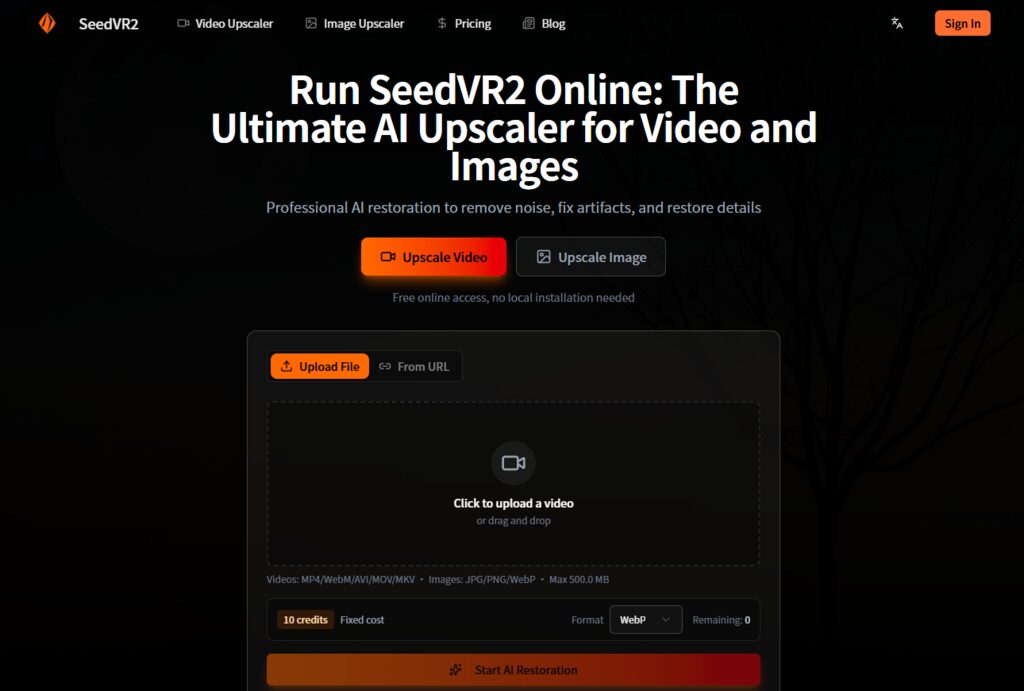
The AI video restoration space has become a carnival of bold claims. Every new model promises to restore degraded footage to cinematic quality. However, most fail to deliver when confronted with the messy reality of user-generated content, grainy home videos, compressed anime clips, and AI-generated images riddled with artifacts. After spending time with the platform, what emerges is not a miracle worker, but a genuinely useful tool that understands where most creators actually get stuck. Seedvr2 strips away the complexity that makes other solutions inaccessible and focuses on what actually matters: getting better results with less friction.
(Image Source: SeedVR2)
The Restoration Gap That Existing Tools Have Not Closed
The fundamental problem with most video restoration tools is that they are built for researchers or enterprise users, not for everyday creators. Commercial desktop applications offer polished interfaces but treat the underlying model as a black box, limiting flexibility. Open-source repositories give you full control, but expect you to manage Python environments, VRAM limits, and ComfyUI node graphs. Neither approach serves the creator who wants to improve footage without spending hours on configuration.
The Single-Step Advantage
The underlying model uses a one-step diffusion transformer architecture developed by ByteDance’s Seed team. Unlike traditional diffusion models that require dozens of inference steps, this approach achieves restoration in a single pass, delivering significantly faster processing while maintaining quality. The adaptive window attention mechanism adjusts dynamically to different output resolutions, which explains why the SeedVR2 video restoration pipeline handles both 4K and 8K targets without compromising motion consistency or temporal coherence.
What does SeedVR2 Video Restoration mean for Video Work?
For video content, temporal coherence mechanisms maintain smooth motion across frame transitions, a critical feature that still-image upscalers cannot replicate. The restoration component also addresses compression artifacts and general degradation that accumulate in older or heavily compressed files. In practice, this means SeedVR2 video restoration processes frames with awareness of what came before and what comes next, reducing the flicker and temporal artifacts that plague less sophisticated upscalers.
Testing SeedVR2 Video Restoration: What Actually Happens
Running real-world tests means moving beyond demo reels and reaching for the kind of footage that actually lives on hard drives. The results reveal a tool that performs best within a specific range of source quality.
Video Restoration: From Low Resolution to 4K and 8K
Clean Sources vs. Degraded Footage
The platform’s performance varies predictably with source quality. A well-lit interview clip scaled to 4K retained natural skin texture and avoided the “oil painting” effect common in older models. Fast-motion sequences proved more demanding; the model’s temporal consistency worked best when the footage contained enough frame-to-frame reference information. For heavily compressed action sequences, the output improved but sometimes introduced slight artifacts around fast-moving objects, a common limitation of temporal models.
Anime and Stylized Content
Anime content, with its flat colors and sharp lines, responded particularly well to SeedVR2 video restoration. Blocky compression artifacts softened into smooth gradients without losing the cel-shaded aesthetic. This makes the platform a strong candidate for anyone working with animated content, where traditional upscalers often struggle to preserve the distinctive visual style.
Image Enhancement: From Artifacts to Print-Ready Output
Fixing AI-Generated Artifacts
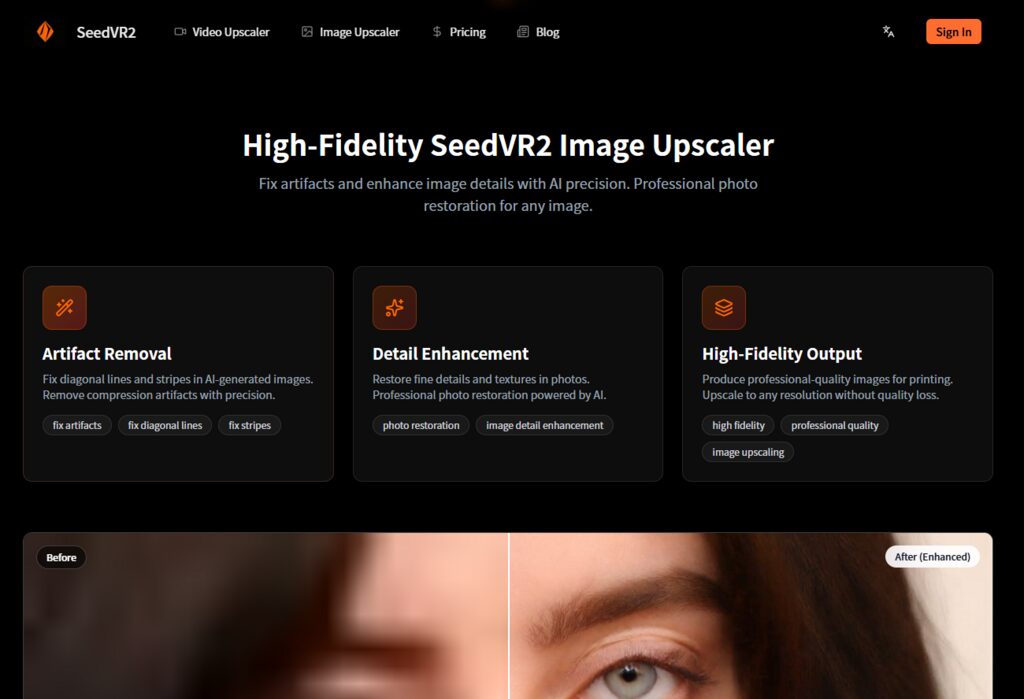
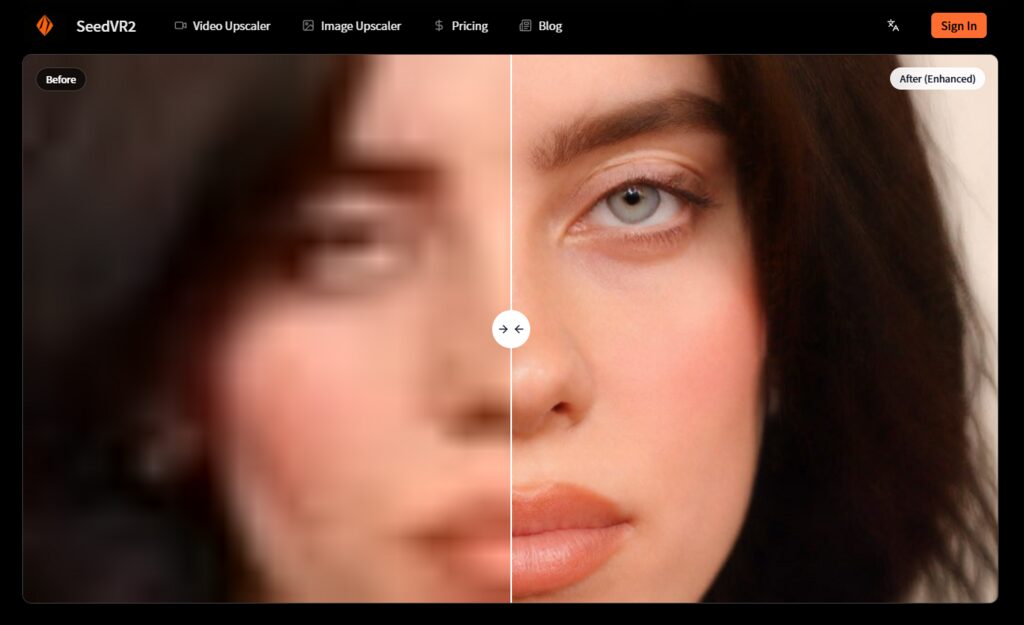
The image upscaler targets the specific flaws that plague modern generative outputs: diagonal lines, stripes, and compression artifacts. Uploading an AI-generated portrait with visible stripe patterns, the tool smoothed these anomalies without obliterating facial features, a delicate balance that earlier upscalers often miss. The detail enhancement mode restored fine textures in photographs, particularly beneficial for scanned images where grain and noise obscure original detail.
Print-Ready Quality
The claim to produce professional-quality images for printing warrants scrutiny. In testing, a 2K image upscaled to 8K maintained enough structural integrity for a large-format display. However, fine text and very small details showed the expected softening that accompanies AI magnification. The platform does not magically invent detail where none exists; rather, it interprets and enhances existing patterns.
(Image Source: SeedVR2)
The User Experience of SeedVR2 Video Restoration
The platform’s design philosophy is clear: remove every possible point of friction between the user and the result.
Upload and Format Handling
Supported Formats and File Limits
The interface supports popular video formats such as MP4, WebM, AVI, MOV, and MKV, as well as image formats such as JPG, PNG, and WebP. The 500 MB per-file limit accommodates most short-form content. Batch processing is supported, which matters for anyone working with multiple clips or image sequences. The drag-and-drop interaction model requires no learning curve.
Credit Estimation and Transparency
The platform estimates credit costs before processing begins, providing clarity. The dashboard shows available credits and the estimated cost for each job upfront. For occasional use, this works without friction; for high-volume workflows, users may need to plan around the credit system.
Processing and Output
One-Click Restoration
After upload, the interface presents clarity options standard, 4K, or 8K for video. The one-click restore button initiates cloud processing. There are no additional settings to configure, no model checkpoints to select, and no parameter sliders to adjust. The output is delivered once processing completes.
Cloud Infrastructure Benefits
All computation happens on cloud GPUs, eliminating hardware constraints. No VRAM concerns, no driver updates, and no CUDA version mismatches. The SeedVR2 video restoration pipeline runs on optimized infrastructure, with results typically appearing in seconds rather than minutes. The actual duration varies with input resolution, file size, and restoration complexity, but the experience feels consistent with the platform’s performance claims.
Who Benefits Most from SeedVR2 Video Restoration?
Different creative workflows demand different restoration priorities. The platform’s strengths align most clearly with specific use cases.
| Workflow Type | Primary Challenge | How the Platform Addresses It | Limitations to Consider |
| Social Media Content Creation | Fast turnaround with acceptable quality | One-click processing with no hardware requirements | Limited control over restoration parameters |
| Archival Footage Restoration | Variable source quality and degradation | Artifact removal and detail recovery for salvageable material | Heavily degraded sources may show only marginal improvement |
| AI Art Refinement | Artifacts from diffusion models | Diagonal line and stripe removal without losing structure | Fine detail recovery varies with source complexity |
| Professional Photography | Print-ready output requirements | 8K upscaling with detail preservation | Output may require human quality-check pass |
| Anime and Animation | Preserving stylized aesthetics | Strong performance on flat-color, sharp-line content | Mixed results with extremely degraded sources |
The table reveals a tool that prioritizes accessibility over absolute control. For users who need to tweak every parameter, the platform may feel restrictive. For everyone else, the trade-off is compelling.
Honest Limitations of SeedVR2 Video Restoration
No restoration tool works flawlessly on every input, and the platform displays predictable weaknesses that any serious user should anticipate. Source quality remains the single biggest success factor. Footage that is merely low-resolution but clean responds excellently; footage that is low-resolution and heavily corrupted may improve only marginally. The model sometimes struggles with severe degradation and large motion, resulting in either incomplete artifact removal or unpleasing detail generation in the most challenging sections.
The single-step diffusion approach delivers speeds 15 to 50 times faster than multi-step alternatives in some configurations, but this speed can come at the cost of nuance in the most degraded frames. Users should approach the tool with realistic expectations: it enhances what exists rather than reconstructing what never did. The results may vary, and complex scenes with significant motion or extreme degradation may require multiple attempts or alternative approaches.
(Image Source: SeedVR2)
Final Thoughts
SeedVR2 video restoration does not attempt to be everything to everyone. It does not offer granular controls for obsessive tweakers, nor does it promise miraculous recovery of unwatchable footage. What it delivers is arguably more valuable: a frictionless path from problematic source material to genuinely improved output, without the weeks-long learning curve that local AI tools demand.
The cloud architecture removes the single biggest barrier to hardware, while the interface removes the second-largest source of configuration complexity. For the editor with a stack of old family videos, the artist frustrated by AI-generated artifacts, or the creator who wants better footage without becoming a machine-learning engineer, SeedVR2 video restoration offers a practical, if imperfect, solution. The results will not always astonish, but they will consistently improve. Moreover, in a landscape overrun with overhyped AI tools, that quiet reliability feels like the most valuable feature of all.
Recommended Articles
We hope this guide on SeedVR2 video restoration helps you understand how AI can enhance low-quality videos and images with faster, cloud-based processing. Explore these recommended articles for more insights on AI video restoration, image upscaling, generative AI, video editing tools, and creative content enhancement.


