


Updated June 16, 2026
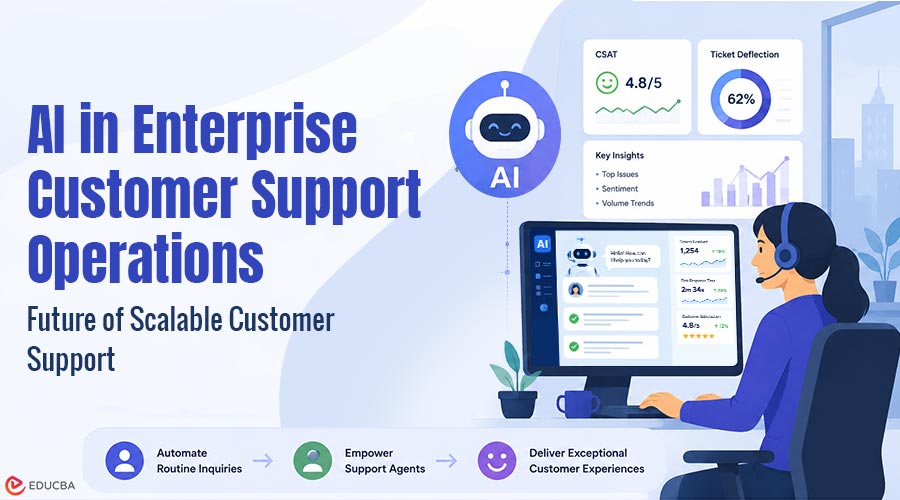
Enterprise support demands for speed are putting immense pressure on traditional help desks. This is where AI in enterprise customer support operations is transforming the way organizations handle customer queries. According to Gartner data, conversational AI will help contact center agents avoid spending $80 billion by 2026. This change forces companies to rethink how they handle incoming tickets daily. Using advanced AI customer service software, businesses can automate simple triage and uncover immediate answers. This guide explains the fundamental principles of these technologies and provides detailed building blocks to implement them.
What is AI in Enterprise Customer Support Operations?
AI-powered customer support is essentially the implementation of AI algorithms, NLP, and automated decision-making engines into the day-to-day customer support process. Unlike traditional processing, this technology also reads a message’s text to capture context, intent, and sentiment. Understanding how to develop an AI software designed for enterprise queues enables engineering teams to craft systems that can automatically address routine requests and seamlessly escalate complex issues to human agents.
Key Use Cases
AI is used in various points of customer interaction within enterprises to eliminate operational friction:
- Automated Ticket Classification: Classifies incoming emails or chats based on algorithms and categorizes them quickly by product category and urgency
- Intelligent Routing Matrices: The system optimizes routing to the exact agent with the correct skill set for specific technical problems
- Real-Time Knowledge Surfacing: Software automatically surfaces relevant documentation articles as the active agent is talking
The adoption of these features brings tangible operational benefits. Indeed, businesses implementing automated workflows report an average 25% reduction in total customer service expenses, according to data collected by Careertrainer. Moreover, AI-powered customer support offers specialized support that significantly drops first response time from hours to minutes, creating very predictable support environments.
How Does AI Improve Enterprise Customer Support Operations?
Enterprise support has fluctuating ticket numbers and complex problems. By incorporating AI, these processes become more efficient and convenient, benefiting both the team and customers.
- Quick Response Times: Software instantly recognizes requests, responds to common queries, and directs tickets, reducing wait times during busy periods.
- Enhanced Agent Productivity: AI automates categorization, summaries, and knowledge retrieval, allowing agents to dedicate more time to high-judgment cases.
- Improved Ticket Prioritization: AI algorithms prioritize tickets based on sentiment and urgency. This ensures critical issues are escalated promptly to maintain customer satisfaction.
- Centralized Knowledge Bases: AI can refer to a centralized knowledge base to provide accurate, consistent responses via chat, email, and portals.
- Scalable Support Operations: Organizations manage seasonal spikes seamlessly. This keeps business growth efficient and supports scaling without matching headcount costs.
How to Implement AI in Enterprise Customer Support Operations?
It is crucial to have a step-by-step strategy for getting from manual support pipelines to automated workflows. An enterprise software deployment plan built on careful design will help ensure the deployment proceeds without disrupting the helpdesk’s day-to-day work.
1. Identify Pain Points
Review and break down your existing ticketing information and identify your support process blockages. Identify repetitive tasks that slow down your operations. For instance, password resets and simple order tracking can involve hours of agent work. Identifying these friction points reveals where AI in customer service will have the greatest operational impact and where your team can focus on tackling key technical issues.
2. Set Clear Objectives
Before deployment, set measurable objectives for AI-powered customer support. Decide on your primary objective, whether it is decreasing the time for the first response, the number of tickets, or the productivity of agents. For instance, the goal is to address 40% of initial customer service issues immediately using AI. Specific metrics help you ensure your deployment is on point and easily measure success over time.
3. Choose the Right AI Solutions
Choose specialized business software designed for your specific business goals. Do not use a random assortment of tools. If your organization receives many calls from overseas customers, you should select platforms that support robust multilingual natural language processing (NLP). A retail business may want to use an automated conversational engine that integrates seamlessly with its in-store inventory systems, while a software firm could use an intelligent system for in-house technical documentation.
4. Train Your Team
Train your support personnel to support automated systems. Agents need to be familiar with how the software processes data and when to take over a conversation. Train agents on reading automated summaries to get a customer’s history at a glance. Highlight that customer service AI tools are meant to support, not replace, human employees.
5. Seamless Integration
Let your users know about the new support options. Provide clear announcements or simple dashboard notifications that explain how automated tools offer quicker resolutions. For instance, include a short section on your help page clarifying that the automatic assistant will update the account in real time. Clear communication is essential for setting user expectations and encouraging customers to use self-service options for simple issues.
6. Educate Your Customers
Inform your users about your updated support options. Use clear announcements or simple dashboard notifications to explain how automated tools provide faster resolutions. For example, add a brief note on your help page explaining that the automated assistant handles account updates instantly. Clear communication helps manage user expectations and encourages customers to utilize self-service options for simple issues.
7. Monitor and Analyze
Monitor automated workflows using system analytics. Track metrics like resolution rates, system accuracy, and handoffs. If the software is tested and it is found that it often fails for a particular shipping question, the backend documentation can be updated to reflect this. Regular analysis helps keep your AI-powered customer service engine accurate and effective in handling queries.
8. Seek Customer Feedback
Collect first-hand user feedback on automated systems. Short post-interaction surveys can measure user satisfaction. Discuss specific questions to determine if the system addressed the problem clearly and quickly. You can gain insights from this direct feedback and see whether your automated workflows are really delivering what customers want or if some paths are confusing.
9. Iterate and Improve
Think of your AI-powered customer service setup as a work in progress. Regular updates are required to stay up to date with product changes and new consumer habits. If survey results indicate that users are confused by a particular automated response, reword the response immediately. By keeping your system up to date, you can ensure your support operations remain highly precise, efficient, and aligned with business growth.
10. Provide Human Touch
Keep a convenient path to live support agents for complicated and sensitive cases. Identify frustrated customers and direct them to a manager in real time using sentiment analysis. High-volume routine tasks can be automated, and human empathy is still required to resolve complex troubles. Automated speed and human problem-solving combine to form a reliable, high-performance enterprise support system.
Real-World Examples
In terms of customer service, AI-driven solutions can transform how businesses handle it. It makes it more proactive than reactive by turning helpdesks into proactive operations. If you compare other high-tech and retail giants, a pattern emerges regarding how traditional bottlenecks are being eliminated through automation.
- Autonomous Resolution Agents: Modern platforms perform multiple-step actions (actions with many steps) instead of a hard-coded text response. For example, if a discrepancy arises on an order, an e-commerce platform can compare stock levels and expedite the replacement shipment without human intervention.
- Intelligent Routing and Triage: Software reads and interprets incoming tickets, automatically routing them to the appropriate specialist department. The effects on efficiency are profound – for example, an IBM case study found that a global camping company saw a 33% overall boost in agent efficiency after adding predictive analytics for smart routing.
- Real-Time Agent Assistance: Systems can monitor phone or chat interactions in real time to surface relevant internal information, so your agents can provide consistent answers.
As this AI customer service software is deployed through typical enterprise infrastructure, support teams can handle massive volumes of customer queries. This helps them maintain a consistent and predictable customer support environment.
Final Thoughts
AI in enterprise customer support operations is reshaping how organizations manage large-scale customer service demands. By combining automation, intelligent routing, and real-time insights, enterprises can significantly reduce costs while improving customer satisfaction. It is a balanced approach that means mundane inquiries are resolved immediately, and a human being addresses more complex cases. In the end, these systems create a predictable support system, have a strong focus on metrics, and scale with the business.
Recommended Articles
We hope this guide on AI in enterprise customer support operations helps you improve your support efficiency. Check out these recommended articles for more insights and strategies to enhance your customer experience.


