


What is a Local Business Database?
A local business database is a structured collection of company information-names, addresses, phone numbers, websites, and contact details-organized to support sales prospecting, marketing campaigns, or market research within specific geographic areas. For example, a commercial cleaning company in Dallas might build a database of 500 office buildings, retail stores, and medical facilities within a 20-mile radius. This database becomes their primary sales asset, enabling them to reach decision-makers rather than cold-calling at random.
Unlike generic business directories that list millions of companies nationwide, local business databases focus on actionable intelligence within a defined territory. The goal is not comprehensiveness-it is relevance. A real estate investor needs apartment building owners in specific neighborhoods, not every property management company in America.
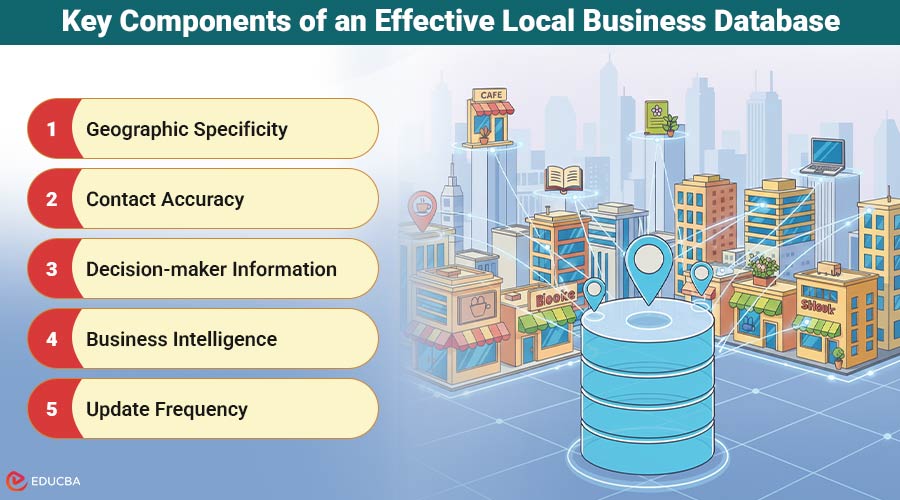
Key Components of an Effective Local Business Database
Effective local business databases share several essential characteristics:
- Geographic specificity: Data filtered by city, ZIP code, neighborhood, or radius around a point ensures your outreach targets the right markets.
- Contact accuracy: Phone numbers that actually connect, email addresses that do not bounce, and websites that still exist separate useful databases from worthless spreadsheets.
- Decision-maker information: Knowing who owns or manages each business transforms cold outreach into warm conversations.
- Business intelligence: Operating hours, review ratings, years in business, and employee counts help prioritize prospects by fit and timing.
- Update frequency: Businesses close, relocate, and change ownership constantly. Databases decay approximately 30% annually without maintenance.
Why Manual Research No Longer Works?
Traditionally, building a local business database required painstaking manual research: scrolling through Google Maps, copying information into spreadsheets, visiting individual websites for contact forms, and verifying each record. A dedicated researcher might compile only 50–75 quality records per day using this method. This approach has three major drawbacks:
- High Cost: Labor alone can make each record expensive. Paying $20/hour for 60 records/day means $2.67 per entry.
- Errors: Manual data entry introduces transcription mistakes that reduce campaign effectiveness.
- Outdated Data: By the time a 1,000-record database is complete, the earliest entries may already be outdated.
Modern sales teams need local business databases built in hours, not weeks, with higher accuracy than manual methods can achieve.
Modern Database Building Methods
Technology has fundamentally changed how businesses compile local prospect lists. Tools like a google maps scraper can extract hundreds of business records, complete with names, addresses, phone numbers, websites, and review data, from any geographic search in minutes rather than days. The process involves pasting a Google Maps search URL and receiving a structured CSV file with all visible business information. This automation solves the speed problem but introduces a new challenge: contact enrichment.
Google Maps listings rarely include direct email addresses or decision-maker names, which sales teams need for effective outreach. That is where complementary verification becomes essential. After building the initial database, sales professionals typically enrich their records using verification and contact discovery tools that append email addresses, validate phone numbers, and identify key personnel. This two-step process automatic data collection followed by smart improvement creates databases that balance size with quality.
Database Architecture Considerations
How you structure your database determines how effectively your team can use it. Simple spreadsheets work for solo entrepreneurs managing 200-300 prospects, but scaling beyond that requires more robust solutions. CRM systems such as HubSpot, Salesforce, and Pipedrive provide the infrastructure for effective team collaboration. They track which prospects have been contacted, the details of each discussion, and the scheduled follow-up actions.
Importing your local business database into a CRM transforms raw data into an actionable sales pipeline. For businesses building multiple databases across different territories or industries, database software such as Airtable or PostgreSQL offers greater flexibility than spreadsheets while remaining more affordable than enterprise CRMs. These platforms support custom fields, automated workflows, and API integrations that connect your prospecting database to your outreach tools.
Legal and Ethical Considerations
Building business databases operates in a complex regulatory environment. In the United States, the CAN-SPAM Act requires commercial emails to include unsubscribe mechanisms and accurate sender information, but does not prohibit B2B cold emailing to business addresses. The Telephone Consumer Protection Act (TCPA) prohibits cold calling on mobile phones without prior consent, making landline verification essential for phone-based outreach. European markets face stricter rules under the GDPR, which require legitimate-interest justifications for processing business contact data.
Canadian CASL legislation takes an even more restrictive approach, requiring either express or implied consent before sending commercial electronic messages. Beyond legal compliance, ethical database building means respecting businesses’ time and preferences. Maintaining suppression lists of companies that request no contact, segmenting databases to ensure relevance, and providing value in every outreach attempt separates professional prospecting from spam.
Database Maintenance and Decay
Every local business database begins deteriorating the moment you create it. Businesses close, phone numbers change, websites expire, and decision-makers move to new roles. Research indicates approximately 2-3% of business data becomes inaccurate each month, compounding to roughly 30% annual decay without active maintenance.
Effective database management includes quarterly verification campaigns to validate contact information, remove closed businesses, and update details that have changed. Tracking bounce rates, wrong numbers, and unsubscribes helps identify which segments need refreshing most urgently.
Best Practices for Implementation
To maximize revenue from a local business database:
- Define clear objectives: Identify target business types, geographic areas, and necessary contact information.
- Segment the database: Group prospects by industry, size, years in business, or review ratings for personalized campaigns. Well-segmented campaigns achieve 5-10% response rates, compared to under 1% for generic outreach.
- Test small batches: Start with a 100-record database, run outreach, measure results, and refine your strategy before scaling.
- Invest in ongoing updates: Treat your database as a strategic asset. Continuous refinement, validation, and optimization separate highly effective prospecting from ineffective list-building.
Final Thoughts
A high-quality local business database is not just a list of names and numbers it is a powerful tool for sales growth and marketing effectiveness. By combining modern technology, strategic enrichment, proper structure, legal compliance, and ongoing maintenance, businesses can transform raw data into actionable intelligence that consistently generates revenue.
Recommended Articles
We hope this guide to building a local business database helps you generate actionable leads and revenue. Check out these recommended articles for more insights on boosting sales and marketing effectiveness:

