
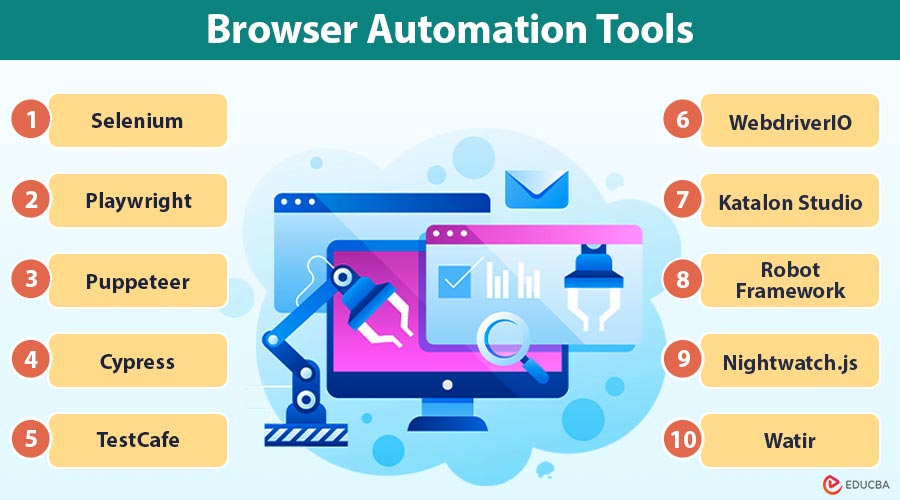
Introduction to Browser Automation Tools
Browser automation tools are software solutions that automate tasks in web browser, such as clicking buttons, filling forms, navigating pages, and extracting data. They help reduce manual effort, improve accuracy, and save time. These tools are commonly used for testing websites, automating repetitive workflows, and enhancing overall productivity in web-based environments. In this article, we will explore the top 10 browser automation tools widely used in the industry.
Key Takeaways:
- Browser automation tools automate repetitive browser-based tasks.
- They improve productivity, accuracy, and test coverage.
- Used in testing, scraping, monitoring, and CI/CD pipelines.
- Choosing the right tool depends on browser support, ease of use, and scalability.
Top 10 Browser Automation Tools
Below are the most widely used browser automation tools in the industry.
#1. Selenium
Selenium is one of the oldest and most widely used browser automation tools, enabling automation across Chrome, Firefox, Edge, and Safari using multiple programming languages. It offers high flexibility, scalability, distributed execution, and seamless integration with CI/CD pipelines for enterprise-level automation.
Best Used For:
- Cross-browser automation
- Large-scale web testing
- Enterprise automation environments
Limitations:
- Requires manual setup
- Slower execution compared to newer tools
- Synchronization handling can be complex
#2. Playwright
Playwright is a modern browser automation tool designed for reliability and speed. It supports Chromium, Firefox, and WebKit using a single automation interface and includes built-in waiting mechanisms. Playwright is highly effective for automating modern, dynamic web applications and supports parallel execution out of the box, improving execution speed.
Best Used For:
- Modern web applications
- Fast and stable automation
- Multi-browser task execution
Limitations:
- Smaller ecosystem than Selenium
- Relatively newer tool
- Limited third-party plugin availability
#3. Puppeteer
Puppeteer is a browser automation tool developed specifically for Chrome and Chromium-based browsers. It is widely used for headless automation tasks such as scraping, screenshot capture, and PDF generation. Its tight integration with Chrome makes it reliable for performance analysis and rendering-based automation.
Best Used For:
- Headless browser automation
- Web scraping
- Chrome-specific automation
Limitations:
- Limited cross-browser support
- JavaScript-only usage
- Not ideal for enterprise-scale test frameworks
#4. Cypress
Cypress is a browser automation tool designed with a strong focus on developer experience. It facilitates debugging by operating immediately within the browser and offering real-time feedback. Cypress is especially effective for automating frontend behavior and validating user interactions in modern web applications.
Best Used For:
- Frontend browser automation
- UI behavior validation
- Debug-friendly automation
Limitations:
- Limited browser support (improving)
- JavaScript-centric
- Less suitable for multi-tab or multi-domain testing
#5. TestCafe
TestCafe is a lightweight browser automation tool that does not require browser drivers or plugins. It executes automation scripts directly inside browsers, simplifying setup and execution. It supports all major browsers and works well in continuous integration environments.
Best Used For:
- Quick browser automation
- Simple setup requirements
- CI/CD pipelines
Limitations:
- Smaller ecosystem
- Limited advanced customization
- Less community-driven plugin support
#6. WebdriverIO
WebdriverIO is a flexible browser automation tool that supports both traditional WebDriver and modern browser protocols. It allows users to build highly customizable browser automation workflows. Its plugin-based architecture makes it suitable for teams needing deep integration with other tools.
Best Used For:
- Custom automation workflows
- Integration-heavy projects
- Advanced browser control
Limitations:
- Configuration complexity
- Steeper learning curve
- Requires deeper WebDriver knowledge
#7. Katalon Studio
Katalon Studio is a low-code browser automation tool designed for ease of use. It provides a graphical interface that lets users create and run browser automation tasks without extensive programming knowledge. It is widely used in enterprise environments where speed and accessibility are priorities.
Best Used For:
- Non-programmers
- Rapid automation development
- Enterprise teams
Limitations:
- Paid features for advanced usage
- Less flexible than code-based tools
- Performance overhead for large test suites
#8. Robot Framework
Robot Framework is a keyword-driven browser automation tool known for its readability and structured approach. It allows automation tasks to be written in a human-readable format, making collaboration easier. It is often used in acceptance testing and business-driven automation scenarios.
Best Used For:
- Acceptance testing
- Business-readable automation
- Multi-domain automation
Limitations:
- Slower execution
- Dependency on external libraries
- Less suitable for complex UI interactions
#9. Nightwatch.js
Nightwatch.js is a JavaScript-based browser automation tool that supports both traditional and modern browser control methods. It has an integrated assertion library and test runner. It is suitable for teams looking for end-to-end browser automation with minimal external dependencies.
Best Used For:
- End-to-end browser automation
- JavaScript-based projects
- Parallel execution needs
Limitations:
- Smaller community
- Advanced setup may require experience
- Limited documentation for complex scenarios
#10. Watir
Watir is a lightweight browser automation tool focused on simplicity and readability. It is particularly popular among Ruby developers and emphasizes the creation of clean, maintainable automation scripts. Watir interacts with browsers in a user-like manner, making automation behavior easy to understand.
Best Used For:
- Ruby-based automation
- Readable browser scripts
- Regression and acceptance testing
Limitations:
- Ruby-only ecosystem
- Smaller user base
- Limited modern browser features compared to newer tools
Final Thoughts
Browser automation tools have become essential for modern web development, testing, and operations. From mature solutions like Selenium to modern frameworks such as Playwright and Cypress, each tool offers unique strengths and trade-offs. Selecting the right tool depends on project scale, team expertise, browser requirements, and long-term maintenance goals.
Frequently Asked Questions (FAQs)
Q1. Is Selenium better than Playwright?
Answer: Selenium has broader community support and maturity, while Playwright offers faster execution and built-in waiting mechanisms.
Q2. Can browser automation tools be used for web scraping?
Answer: Yes. Tools like Puppeteer and Playwright are commonly used for scraping dynamic websites.
Q3. Do browser automation tools support headless mode?
Answer: Yes. Most modern tools support headless execution for faster and resource-efficient automation.
Q4. Can these tools integrate with CI/CD pipelines?
Answer: Yes. Most tools integrate with Jenkins, GitHub Actions, GitLab CI, and other DevOps tools.
Recommended Articles
We hope that this EDUCBA information on “Browser Automation Tools” was beneficial to you. You can view EDUCBA’s recommended articles for more information.

